Premiere Pro Audio Track Mixer Submix Routing For 4 Mic Podcasts
Route 4-mic video podcasts in Premiere Pro Audio Track Mixer with dialogue submixes, -14 LUFS loudness targets, and DaVinci Resolve Fairlight busing.
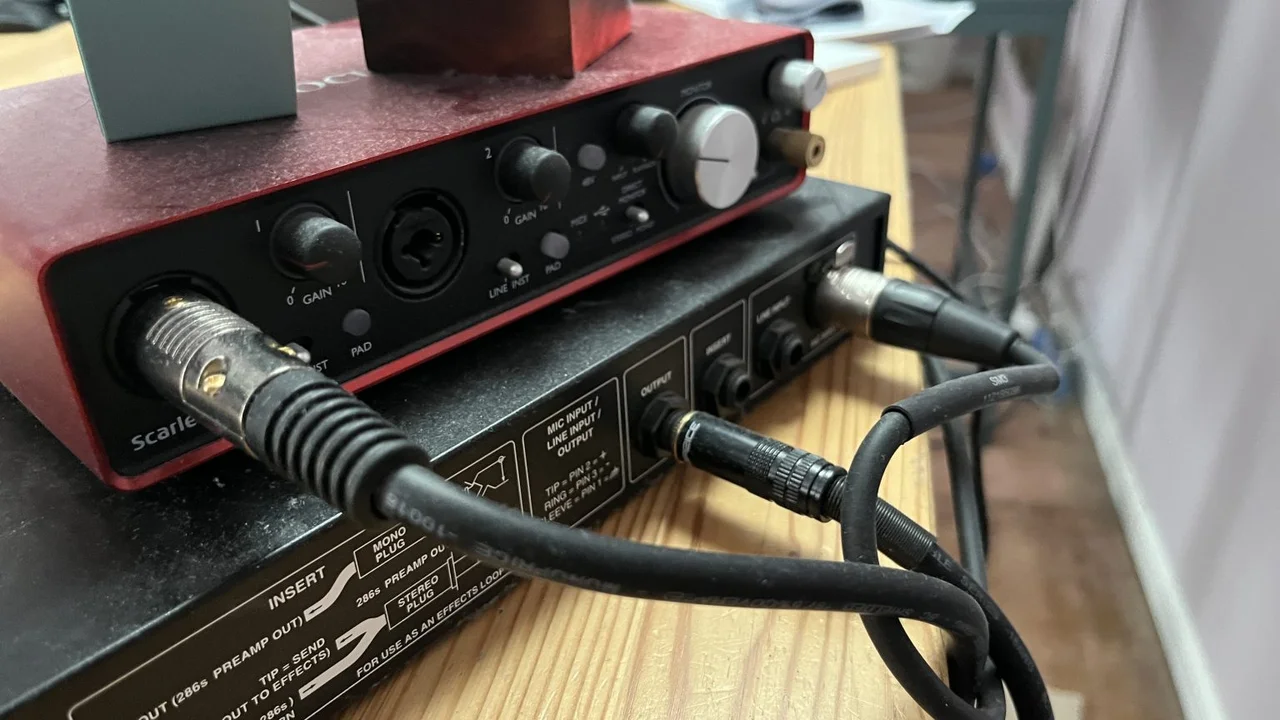
US data shows that 46% of weekly podcast consumers favor episodes with active video over audio-only feeds [Edison Research Infinite Dial & Podcast Consumer Report, 2025]. YouTube now draws more than 1 billion monthly active viewers for podcast content [YouTube Official Blog, 2025]. That viewing preference makes weak audio routing visible fast for studio editors handling four-person roundtable productions. When each of four clip tracks carries its own limiter, de-esser, and loudness meter, processing load climbs, crosstalk becomes inconsistent, and every off-axis speaker move invites another round of repeated tweaks. A cleaner design sends A1 through A4 into purpose-built Audio Track Mixer submixes. Microphone-specific restoration stays on the ISO tracks, while bus-level compression, ducking, and final loudness compliance are handled downstream.
What Are the Verified Benchmarks for Premiere Pro Audio Track Mixer Submix Routing on 4-Mic Podcasts?
Multicam podcast finishing becomes difficult to scale when every project starts without a standardized track template. A 60-minute video podcast with three cameras takes 3 to 4 hours on average in Premiere Pro when editors sync footage, remove dead air, and switch angles by hand, with no automated audio-gated switching [Descript & Post-Production Time Survey, 2025]. Saved submix templates remove the need for continual gain rides across extended timelines and keep every deliverable aligned with platform loudness rules.
For YouTube and Spotify video podcasts, integrated loudness is normalized near -14 LUFS and true peaks are capped at -1.0 dBTP; Apple Podcasts specifies -16 LUFS [Spotify & Apple Creator Loudness Specifications, 2025]. Well-built dialogue submixes also give visual accessibility work a stronger foundation. In public and workplace settings, as many as 75% of viewers watching mobile social feeds keep device audio muted [Verizon Media & Publicis Mobile Viewing Study, 2024]. A dedicated submix carrying isolated dialogue and no music bleed gives speech-to-text systems a less contaminated input, although caption timing and line breaks still require review against delivery standards. The Netflix Timed Text Style Guides, for example, limit adult English subtitles to 20 characters per second (CPS) and 42 characters per line (CPL) [Netflix Partner Help Center Timed Text Guide, 2025].
| Track / Bus Layer | Premiere Pro Assignment | DaVinci Resolve Fairlight Equivalent | Processing Stack & Thresholds | Output Destination |
|---|---|---|---|---|
| A1–A4 (Host & Guests) | Standard Mono Tracks | Mono Tracks (A1–A4) | 80 Hz HPF, mud EQ cut (150–250 Hz), Expander (-40 dB threshold, 2:1 ratio) | Submix 1 (Dialogue) |
| Submix 1 (Dialogue Bus) | Stereo Submix Track | Stereo Bus (Dialogue Submix) | Compressor (3:1, -18 dB threshold), DeEsser (6.5 kHz), Hard Limiter (-1.5 dB) | Master Track |
| A5–A6 (Music & SFX) | Standard Stereo Tracks | Stereo Tracks (A5–A6) | High-shelf trim, volume automation (-24 dB to -28 dB under speech) | Submix 2 (Music/SFX) |
| Submix 2 (Music/SFX) | Stereo Submix Track | Stereo Bus (M&E / Music) | Ducker or gentle bus compressor (-22 dB threshold, 2:1 ratio) | Master Track |
| Master Output | Master Track (Stereo) | Main 1 (Stereo Bus) | True Peak Limiter (-1.0 dBTP), Loudness Radar (-14 LUFS or -16 LUFS) | Export / Stem Delivery |
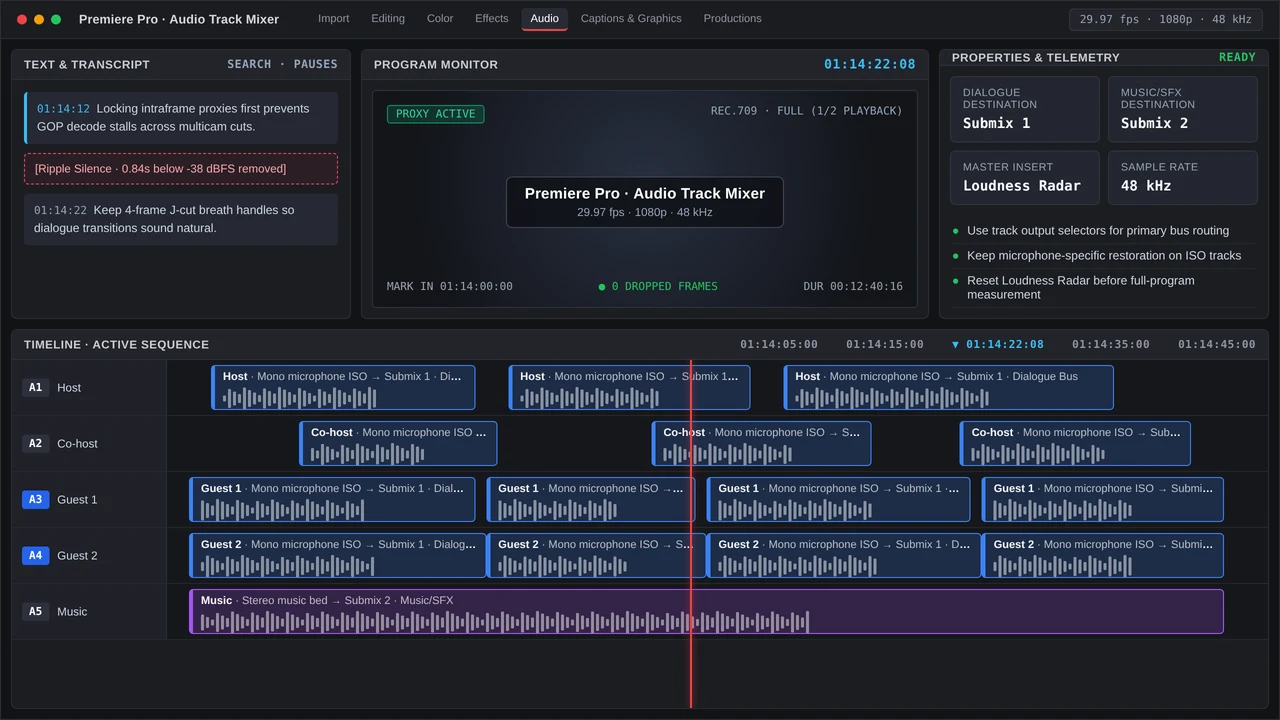
Step-by-Step Premiere Pro and DaVinci Resolve Setup for 4-Mic Submix Routing
After track formats and bus destinations are saved in a project template, the same submix topology can be reproduced reliably in either major studio NLE.
Premiere Pro Audio Track Mixer Setup (v25 / v26)
Adobe Premiere Pro costs $23 per month on a single-app annual plan [Adobe Premiere Pro Product Guide, 2025]; the routing described below lives in the Audio Track Mixer, with the Audio Clip Mixer left out of the signal-path setup:
- Confirm Mono ISO Tracks: Put each timecode jam-synced microphone stem on
A1throughA4, using Mono tracks to keep panning centered and preserve speaker-by-speaker clip gain changes made with theGkey. - Add Stereo Submixes: Choose Window > Audio Track Mixer, then right-click a timeline track header and choose Add Tracks. Create two Stereo Submix tracks, naming them
Dialogue Bus(Submix 1) andMusic/SFX Bus(Submix 2). - Assign Track Outputs: Inside the Audio Track Mixer, use the Track Output Assignment menu at the top of each channel from
A1throughA4to replaceMixwithDialogue Bus. SendA5andA6, which carry music and stingers, only toMusic/SFX Bus. - Insert Per-Mic Cleanup (
A1–A4): In Slot 1, insert Parametric Equalizer with an 80 Hz high-pass filter and a narrow 150 Hz to 250 Hz cut for chest boominess. Use Slot 2 for Dynamics, setting AutoGate from -42 dB to -38 dB and its release to 150 ms so off-mic room bleed is reduced during crosstalk. - Process the Dialogue Submix (
Submix 1): On this bus, run a Single-band or Tube-modeled Compressor at 3:1 with a -18 dB threshold and 2 dB to 4 dB of intended gain reduction. Follow it with DeEsser processing across 6 kHz to 7 kHz, then a Hard Limiter with a -1.5 dB ceiling. - Meter on the Master Track: On the Mix track, insert a third-party true-peak limiter at -1.0 dBTP ahead of Loudness Radar, and assess the complete program for the -14 LUFS delivery target used by YouTube and Spotify.
- Automate Repetitive Macros & Captions: Editors can fire saved track-effect stacks or nesting commands from the keyboard with macro tools such as Excalibur, sold under a $100 one-time license [Knights of the Editing Table, 2025]. After the audio paths are fixed, use Text panel transcription to remove pauses, then build social-clip caption styling through the contextual Properties panel and Graphics Templates panel.
DaVinci Resolve Studio Fairlight Routing (v19 / v20)
DaVinci Resolve Studio, sold as a $295 perpetual license [Blackmagic Design, 2025], supports the same four-mic architecture on its Fairlight page for editors finishing these shows:
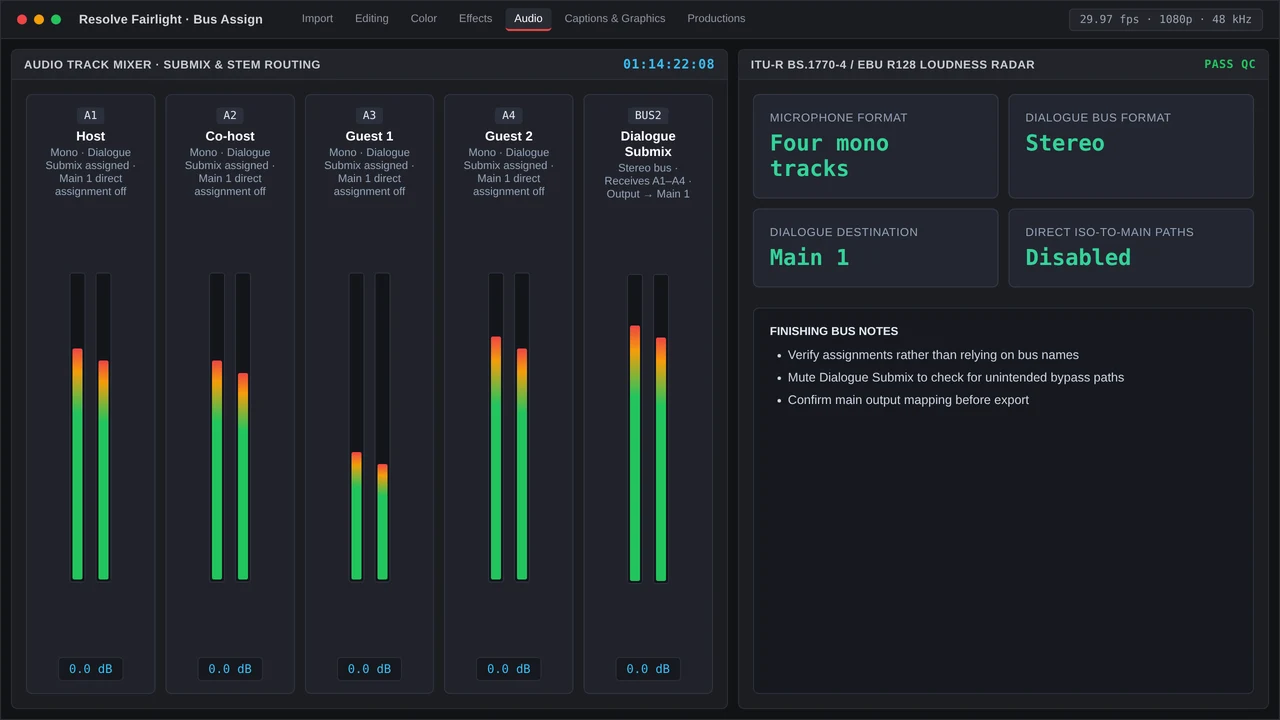
- Define Buses: Open Fairlight > Bus Format, leave
Main 1in Stereo, and create the Stereo sub-busesDialogue SubmixandM&E Bus. - Map Channels: Under Fairlight > Bus Assign, send only Mono tracks
A1throughA4toDialogue Submix, assignA5–A6toM&E Bus, and feedMain 1from both sub-buses. - Apply Dynamics & Metering: On
A1–A4, turn on Fairlight’s channel Dynamics gate at -40 dB. SetDialogue Submixcompression to 3:1, then use theMain 1Fairlight Loudness Meter to confirm -14 LUFS / -1.0 dBTP compliance.
Common Timeline Bottlenecks and QC Checks for 4-Mic Submix Routing
Rough assembly can still compromise a solid template if multicam nesting or gain staging goes wrong. Before master export or client review through Frame.io v4 ($15 per user monthly [Frame.io Pricing, 2025]), complete these four QC passes:
- Flattened Multi-Camera Source Sequence (MCSS) Audio: A four-camera MCSS that combines every microphone into one stereo track defeats per-mic gates and EQ from the outset. Inspect Modify > Audio Channels for source mapping, select All Cameras in the MCSS audio settings before any cutting, and confirm that
A1–A4enter the main edit sequence as discrete mono channels. - Double-Routing and Phase Comb Filtering: A track feeding
Mix/Mastershould have its post-fader send toSubmix 1disabled, since two simultaneous paths may increase level by as much as +6 dB and produce hollow comb filtering when their latency differs. - Starved Submix Compressors: The
Dialogue Buscompressor can miss every transient if raw clip gain is weak and track faders are pulled down to compensate. Use normalization or clip gain (G) to place raw dialogue peaks reliably from -12 dBFS to -9 dBFS, leaving track faders close to 0 dB. - Loudness Radar Crosstalk & Stem Verification: Use Loudness Radar to audition a quiet solo monologue plus 30 seconds of energetic crosstalk involving all four participants. Before final vertical and widescreen delivery, solo
Submix 1and confirm that the dialogue-only stem remains clean and contains no music-ducking artifacts.
More in Multicam Desk
Eliminate studio mic bleed and comb filtering inside Premiere Pro and Fairlight while hitting -14 LUFS loudness targets for YouTube and Spotify.