Fixing Cross Bleed And Phase Cancellation In Studio Video Podcasts
Eliminate studio mic bleed and comb filtering inside Premiere Pro and Fairlight while hitting -14 LUFS loudness targets for YouTube and Spotify.
Video with visible activity is the preferred podcast format for 46% of weekly U.S. podcast consumers, ahead of audio-only feeds [Edison Research Infinite Dial & Podcast Consumer Report, 2025]. YouTube draws more than 1 billion monthly active viewers for podcast content [YouTube Official Blog, 2025]. At a studio table, the same speech reaches neighboring dynamic microphones milliseconds apart; summing those tracks within a multicam timeline can yield cross bleed and hollow-sounding comb filtering.
What Are the Verified Benchmarks for Fixing Cross Bleed and Phase Cancellation in Studio Video Podcasts?
A 60-minute podcast shot on three cameras takes 3 to 4 hours on average when sync, dead-air removal, and camera switching are handled manually [Descript & Post-Production Time Survey, 2025]. Once sync is locked, plan for roughly -14 LUFS and a -1.0 dBTP peak ceiling on YouTube and Spotify video podcasts; Apple Podcasts uses a -16 LUFS target [Spotify & Apple Creator Loudness Specifications, 2025].
On mobile social platforms, as many as 75% of viewers watch video with device audio muted [Verizon Media & Publicis Mobile Viewing Study, 2024]. Isolating dialogue cleanly also supports automated transcripts, which still have to satisfy subtitle pacing limits of 20 CPS and 42 CPL [Netflix Partner Help Center Timed Text Guide, 2025].
| Production Stage | Target Metric / Threshold | Spec or Tool |
|---|---|---|
| Sync & Polarity | 48 kHz, sub-frame peak match | Multi-Camera Source Sequence |
| Expander Gate | -42 dB threshold, -12 dB range | Audio Track Mixer / Fairlight |
| Video Loudness | -14 LUFS, -1.0 dBTP peak | YouTube & Spotify |
| Audio Loudness | -16 LUFS, -1.0 dBTP peak | Apple Podcasts |
| Caption Pacing | 20 CPS, 42 CPL ceiling | Text & Properties Panels |
Step-by-Step Premiere Pro and DaVinci Resolve Setup for Fixing Cross Bleed and Phase Cancellation in Studio Video Podcasts
Before mixing, turn on Show Audio Time Units from the timeline ruler; dialogue can then move in sub-frame increments, free of the 24 fps video-frame grid.
Adobe Premiere Pro ($23 Monthly) Multi-Camera Audio Routing
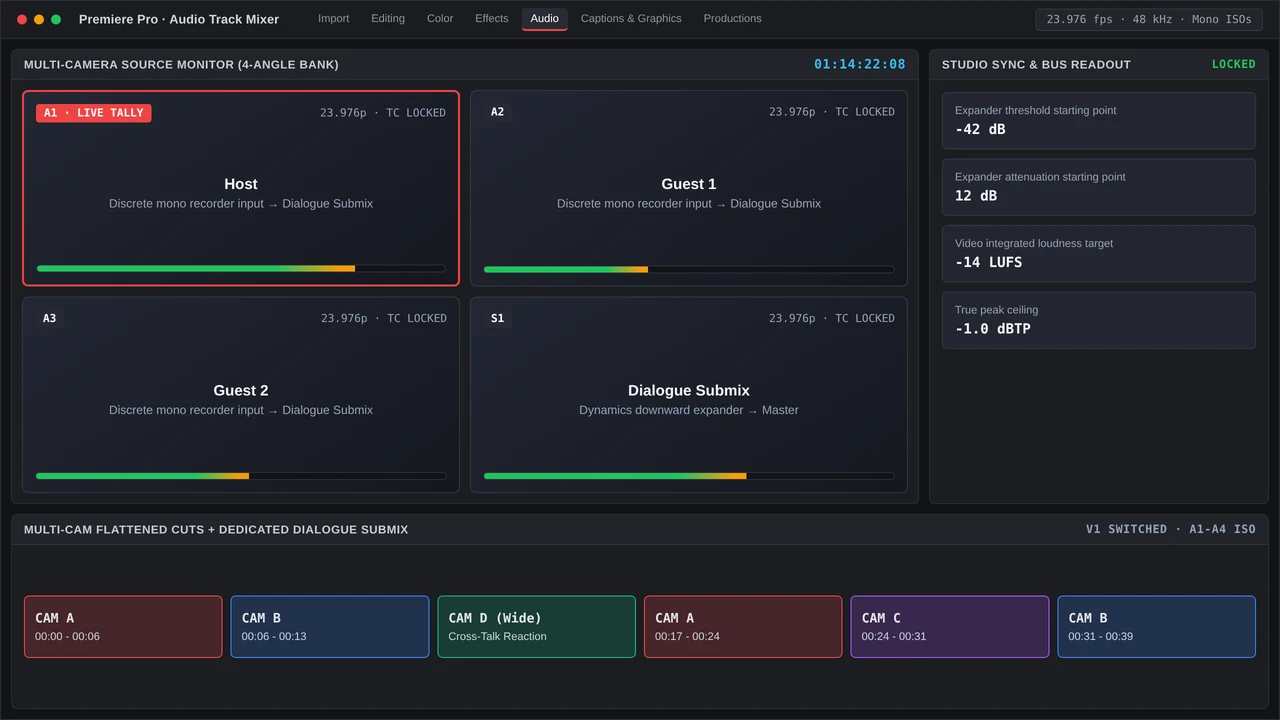
Keep each recorder input on its own mono track within a Premiere Pro ($23 single-app monthly plan) Multi-Camera Source Sequence: A1 Host, A2 Guest 1, A3 Guest 2, and A4 Room Tone. In the Audio Track Mixer, send A1 through A3 to a dedicated Dialogue Submix bus.
- Align waveform peaks: Zoom to a common slate transient, then line up the corresponding camera and recorder tracks. With camera scratch audio muted, check inter-mic phase in mono.
- Apply downward expansion: Add the native Dynamics effect to each track and engage its expander. Begin with a
-42 dBthreshold and a gentle ratio, then adjust while checking for clipped consonants or room tone that pumps. - Automate gain trims: Use Excalibur ($100 one-time license) command macros for gain normalization on quiet speaker passes before the submix limiter.
DaVinci Resolve Studio ($295) Fairlight Phase & Bus Alignment
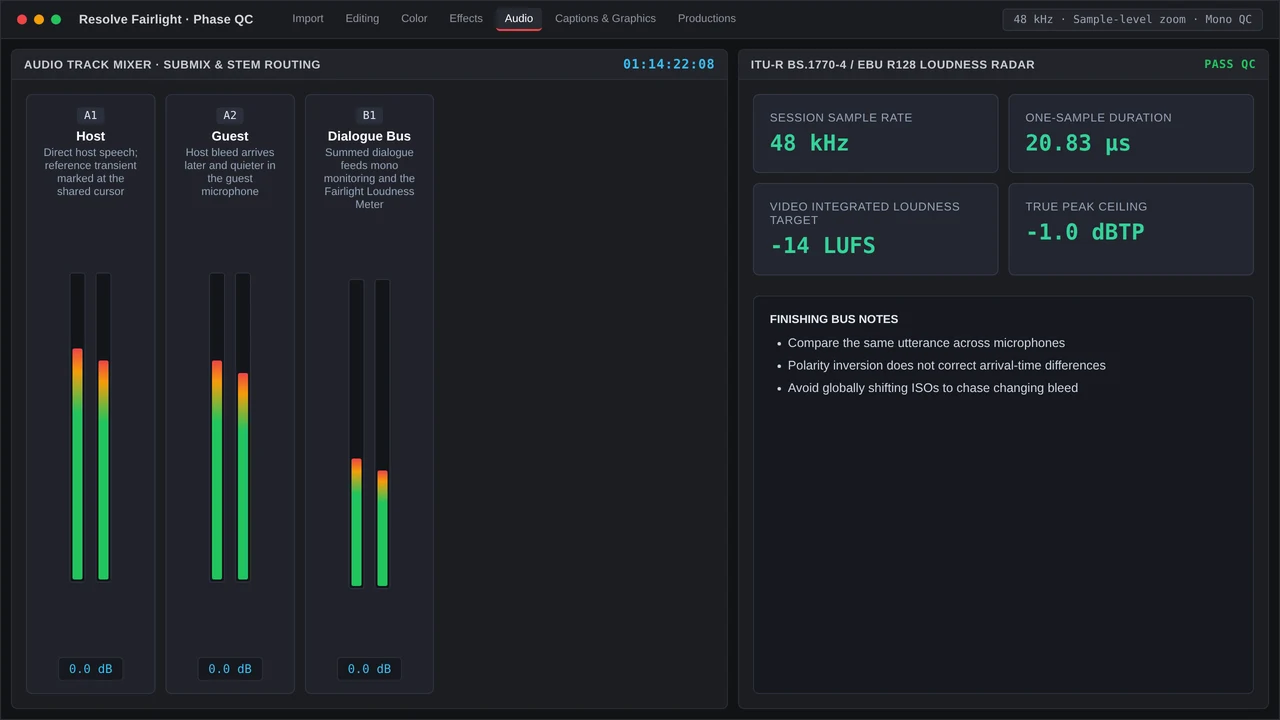
Open the Fairlight page in DaVinci Resolve Studio ($295 perpetual license); the mixer’s track Delay controls adjust timing while picture-locked clips stay put. Insert Fairlight’s Dynamics expander before Dialogue Leveler, and use Frame.io ($15 per user monthly) to sync review cuts with timecode-stamped mix notes.
Common Timeline Bottlenecks and QC Checks When Handling Fixing Cross Bleed and Phase Cancellation in Studio Video Podcasts
Driving the gate hard enough to erase all bleed makes ambience drop out abruptly as speakers hand off. Hold a -12 dB attenuation floor, and run continuous A4 room tone beneath heavy cuts; mobile viewers who unmute should never encounter dead gaps.
Before export, complete these three QC checks:
- Mono Sum Audit: Switch the master bus to mono, watch the Phase Correlation meter, and verify that correlation stays positive throughout cross-talk segments.
- Loudness Radar Pass: Check that integrated loudness reads
-14 LUFS, with true peaks remaining below-1.0 dBTPduring overlapping dialogue. - Caption & Marker Check: Create the transcript in the Text panel, apply styling through the contextual Properties panel or Graphics Templates, then clear every Frame.io v4 timecode marker.
More in Multicam Desk
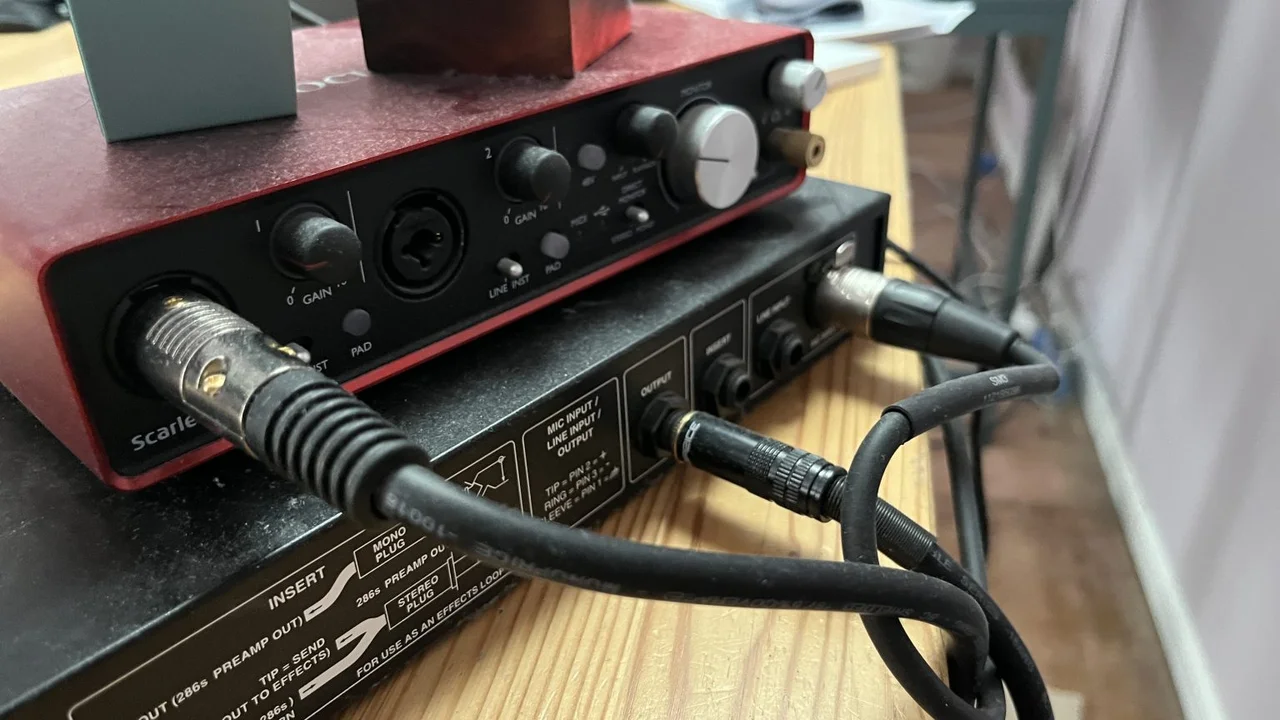
Route 4-mic video podcasts in Premiere Pro Audio Track Mixer with dialogue submixes, -14 LUFS loudness targets, and DaVinci Resolve Fairlight busing.